
Lucky Vibe App and Mobile Australia
 Available in US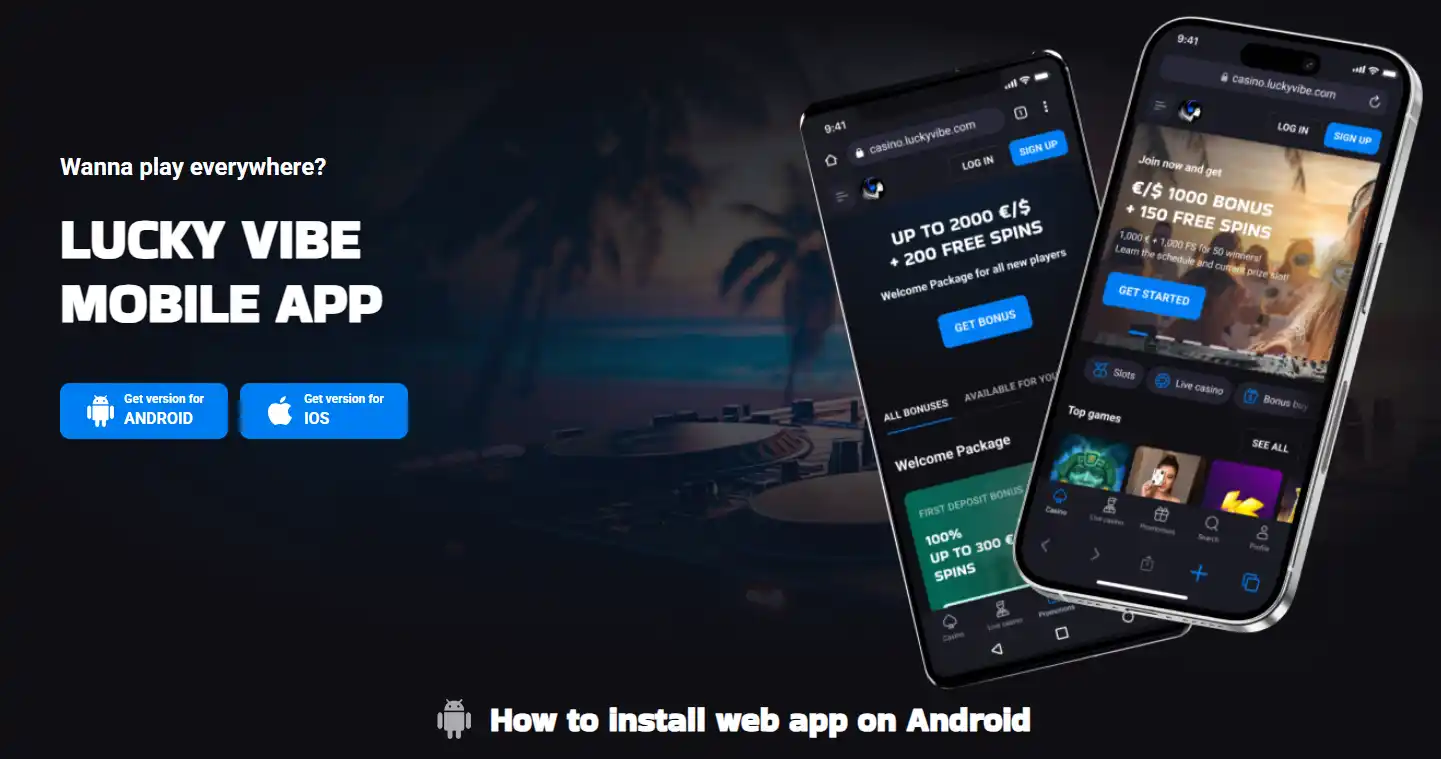
Table of content
Lucky Vibe can be added to an iPhone or Android home screen as an installable web app. On iPhone, the official Australian install page uses Safari’s Share menu and “Add to Home Screen”. On Android, it uses the browser menu, “Add to Home Screen” and an Install confirmation. The important distinction is that these are web-app/PWA instructions. The current evidence does not establish a separate native Lucky Vibe app from Apple’s App Store or Google Play, so this guide does not present one as available.
For Australians searching “Lucky Vibe app” or “Lucky Vibe download”, the practical route is therefore the mobile site or its home-screen web-app version. It gives quick access to the same Lucky Vibe web service while avoiding unsupported claims about a native store download.
What “Lucky Vibe app” means in practice
There are three different mobile ideas that often get mixed together. A mobile website runs in the browser. A PWA or installable web app is still web-based, but can be added to the home screen and opened from its own icon. A native app is a separately packaged application distributed through a platform such as the App Store or Google Play.
Lucky Vibe’s official AU instructions clearly support the middle option. The page calls the installation a “web app” for both Android and iPhone and provides browser-based home-screen steps. That is enough to describe Lucky Vibe as installable on a phone, but not enough to turn the claim into “download the native Lucky Vibe iOS app” or “get Lucky Vibe from Google Play”.
This distinction matters because an app-search result can otherwise lead readers to third-party download pages that look official. The safer test is simple: follow the installation path published on Lucky Vibe’s own AU site and treat any separate app-store or package claim as unverified unless the operator itself links to it.
How Lucky Vibe works on iPhone
The current official instructions use Safari. Open luckyvibe.com in Safari, tap Share on the bottom navigation panel, choose “Add to Home Screen”, then confirm with “Add”. The result is a home-screen entry that launches the web app instead of requiring a separate native-store download.
If you want the short device-specific version, use the iPhone access guide. It focuses only on Safari, the home-screen shortcut and safe handling of app-search results.
How Lucky Vibe works on Android
The Android flow is similar but uses the browser menu. Lucky Vibe’s AU install page says to open the homepage, tap the three-dot browser menu, choose “Add to the Home Screen”, and then confirm with the “Install” button. That creates an installable web-app shortcut from the site.
The exact browser wording can differ between Android browsers and versions, so the official flow is best understood by its key action: add the Lucky Vibe website to the home screen from the browser. The separate Android access guide keeps those platform-specific steps in one place.
Do you need to install anything to play?
No separate native-app claim is needed to use Lucky Vibe on a phone. The site itself is the underlying service, and the home-screen installation is a convenience layer for quicker access. If you prefer not to add a home-screen icon, you can keep using the mobile website in the browser.
The real advantage of the installed web-app route is convenience rather than a different casino catalogue. It reduces the number of taps needed to return to the site and makes Lucky Vibe feel more app-like on the home screen. It should not be treated as evidence that a different native product exists behind the icon.
If you switch phones or clear browser data, treat the home-screen entry as a shortcut that may need to be added again rather than as a purchased app tied to an app-store library. The official setup starts from the Lucky Vibe website, so the clean recovery path is to revisit that site in the supported browser and repeat the published home-screen steps.
What can you access on mobile?
Lucky Vibe’s Australian site includes pokies and a live casino section. The pokies navigation currently covers categories such as jackpots, bonus buy and Megaways, while the live section includes blackjack, roulette, baccarat, poker and game shows. Those are web-casino features, so the mobile question is mainly whether the interface works comfortably on your device rather than whether a separate native catalogue exists.
For title categories, provider notes and Australia-specific game restrictions, use the Lucky Vibe game library. This mobile page intentionally does not repeat the full catalogue or quote a fixed game count, because the game page is the better place to check that changing inventory.
Payments on a mobile session
The verified Lucky Vibe payment set includes Visa and Mastercard, e-wallets including Skrill and Neteller, and multiple cryptocurrencies. Exact cashier availability can still depend on the account and jurisdiction. Using a phone does not make every method shown on a global payments page automatically available to every Australian account.
That is why the useful mobile check is inside the cashier you actually see after signing in. If payment choice is important to you, compare the method families and AU banking context in the Lucky Vibe payments rather than assuming the phone platform changes the banking rules.
Safer mobile setup: what to check before adding the icon
- Start from the official Lucky Vibe domain rather than a third-party download page.
- On iPhone, follow the Safari Share and Add to Home Screen flow shown by Lucky Vibe.
- On Android, use the browser’s home-screen installation option from the official site.
- Do not install an unrelated APK or configuration profile merely because a search result calls it the Lucky Vibe app.
- Use your phone’s screen lock and avoid saving account access on a shared device.
- When the home-screen entry opens, confirm the address and site identity before entering login or payment information.
These checks are more useful than chasing an “app download” label. They keep the install path tied to the operator’s published web-app instructions and reduce the chance of confusing an unofficial download with the actual Lucky Vibe site.
Browser performance matters more than the app label
For pokies, live dealer games and cashier screens, a stable browser session, a current operating system and a reliable connection matter more than whether the shortcut looks like a traditional app icon. Live dealer video in particular can place more demand on bandwidth and screen space than a static account page.
A practical test is to open the exact game or section you care about before treating the mobile setup as your main way to use the site. Check navigation, text size, game controls and the cashier on your own screen. The web-app shortcut can make access faster, but it cannot guarantee identical usability across every phone model, browser version or game interface.
Who should use the home-screen web app?
The PWA-style setup makes most sense if you return to Lucky Vibe regularly and want a direct icon without searching for the site each time. Occasional users can simply bookmark the site or use the browser. iPhone and Android users both have an official home-screen route, so neither platform needs an invented native-app story to answer the basic access question.
If your main concern is the casino as a whole rather than installation, return to the full Lucky Vibe Australia review. It covers the broader bonus, payments, games, withdrawal and trust context that a mobile shortcut by itself cannot answer.
Primary source check
The iPhone and Android installation steps were rechecked on the official Lucky Vibe AU install page. Current pokies and live-casino availability comes from the Lucky Vibe AU site, while payment method families were checked against the official payments page. Sources for this article were checked on 9 September 2026.
Lucky Vibe mobile FAQ
Does Lucky Vibe have an iPhone app?
Lucky Vibe officially provides an iPhone web-app installation flow using Safari and Add to Home Screen. The current evidence does not verify a separate native App Store app.
Does Lucky Vibe have an Android app?
Lucky Vibe officially provides an Android web-app installation flow from the browser menu. This guide does not claim a separate native Google Play app.
Can I use Lucky Vibe without adding it to the home screen?
Yes. The home-screen installation is a web-app convenience. The underlying access route remains the Lucky Vibe website.
Can I play pokies and live casino games on mobile?
The Australian Lucky Vibe site includes pokies and live casino sections. Individual game availability can still vary, so check the current lobby on your device.
Should I download Lucky Vibe from a third-party app site?
Do not treat a third-party download page as proof of an official native app. Use Lucky Vibe’s own published web-app installation path unless the operator directly verifies another distribution channel.